👨👩👧👦 Multisig staking
Collaborative staking solutions for communities with shared resources.
The Vault supports communities with collectively controlled resources, such as a Squads multisig. This page covers the two ways to stake and direct stake from one.

Two ways to stake from a multisig
For communities using multisig wallets, such as those managed by Squads, there are two ways to use The Vault:
- SquadsX: connect your Squads vault to The Vault like any wallet, then stake, unstake and direct stake on the usual pages. Each action becomes a proposal your members approve in Squads. SquadsX is available to Squads Pro subscribers.
- Squads export: on the Direct Stake page, generate a transaction that sets your vault's vSOL to a validator, then import it into the Squads Tx Builder. It needs no extension and covers direct stake only.
Connect with SquadsX
SquadsX is Squads' browser extension. It connects your Squads vault to Solana dApps like a regular wallet, and every transaction you start becomes a proposal on the Transactions page of the Squads app. The Vault's Connect Wallet dialog lists the wallets installed in your browser, so SquadsX appears there once it is set up.
Set up SquadsX
In the Squads app, set up SquadsX for your Squad and install the extension, following Squads' instructions.
Connect to The Vault
Go to thevault.finance, tap Connect Wallet and choose SquadsX.
Stake, unstake or direct stake
Use the Stake page or the Direct Stake page as you would with any wallet. When you approve, SquadsX creates a proposal instead of sending the transaction. For direct stake, see How to direct stake.
Approve in Squads
Open the Transactions page in the Squads app. Once enough members approve the proposal, execute it.
A multisig can't sign messages, and a very large transaction can fail through SquadsX. If a transaction doesn't go through, use the Squads export below or open a support ticket.
Squads export (beta)
The Direct Stake page includes a collapsible Use with Squads Multisig section, below the Direct Stake button, that generates a base58 encoded transaction (Tx). You paste this transaction into the Squads Tx Builder, so you don't need to connect your wallet to The Vault.
Use Squads export
Generate the transaction on The Vault, then import and sign it in Squads.
Copy your Squads vault address
Copy your Squads vault address from the dashboard page of the Squads web application (Figure 14.3). Use the vault address, not a local wallet or one of the member addresses.
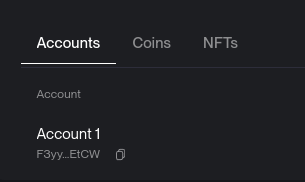
Figure 14.3: Your Squads account address
Choose the validator
On The Vault's Direct Stake page, under Choose a validator, select the validator your Squads vault should direct stake to. To remove a selection, choose Automatic delegation.
Generate the transaction
Open Use with Squads Multisig, paste your Squads URL or vault public key and tap Generate Transaction (Figure 14.4). The base58 serialized Tx appears below it.
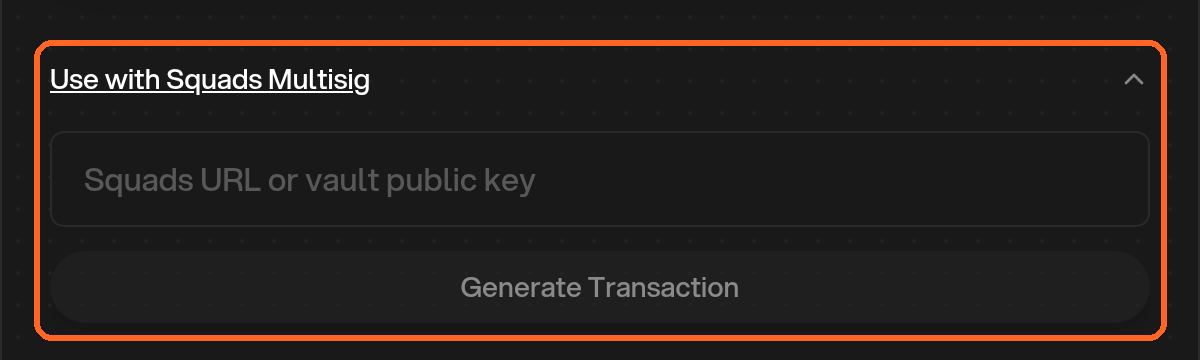
Figure 14.4: Use with Squads Multisig
Copy the serialized transaction
Click the copy icon at the top-right corner of the transaction box to copy the transaction to your clipboard.
Open the Squads application
- Navigate to Developers → Tx Builder.
- Click + Create Transaction at the top-right corner (Figure 14.5).
Figure 14.5: Create Transaction in Squads
Add the instruction
- Click + Add Instruction and select Import from base58 in the popup menu.
- Paste the copied transaction into the Base58 encoded Tx text box (Figure 14.6).
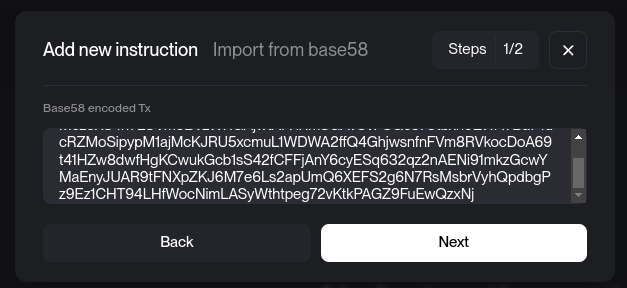
Figure 14.6: Import the transaction from base58
Verify the transaction
- Click Next and Add Instruction, then verify that the transaction details are accurate.
- Optional: Simulate the transaction to review the output (Figure 14.7).
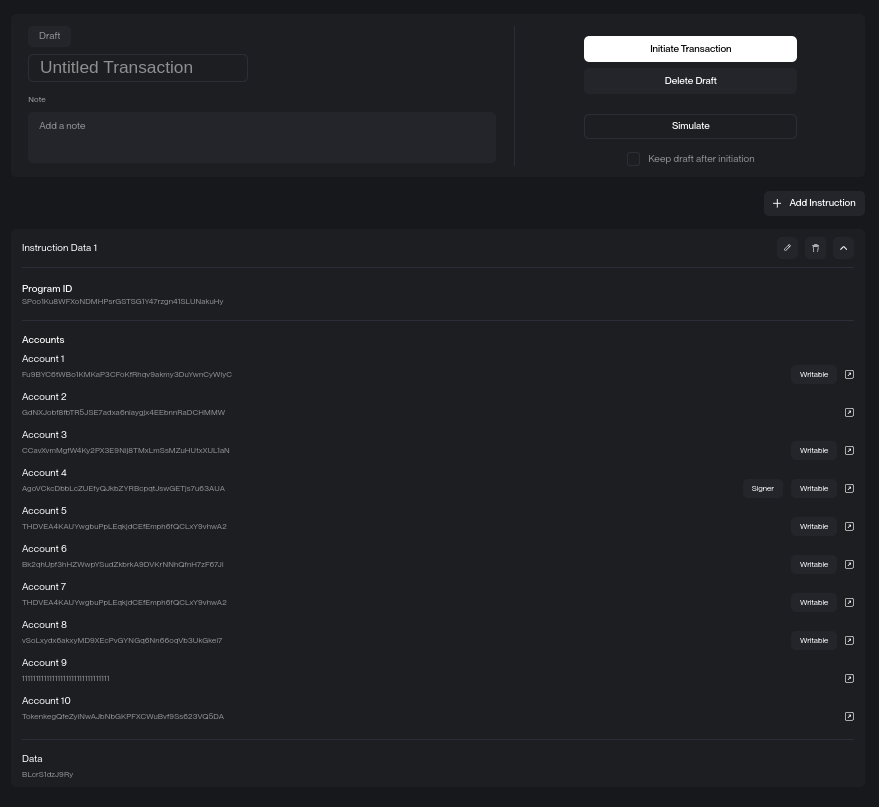
Figure 14.7: Review and initiate the transaction
Initiate and sign the transaction
- Click Initiate Transaction to proceed.
- Sign the transaction and continue as you would with any Squads transaction.
Beta feature
This feature is still in beta. If you encounter any issues or have questions, reach out to us on Discord for support.
FAQ
My Squads transaction fails. What can I do?
If the imported transaction includes Compute Budget instructions, delete them before you initiate it: Squads adds its own, and a transaction can't contain them twice. If it still fails, open a support ticket in The Vault Discord with your Squads vault address and the validator, and the team can prepare a transaction for you to import.