🧲 Validator directed stake
Set and achieve your staking goals with our guidance.
The Vault lets you choose which validator your vSOL supports through direct staking.

- With Automatic delegation selected, your vSOL contributes to undirected stake, which is allocated among gauges and the two approved-validator buckets.
- Alternatively, choose a specific validator and set your wallet to direct stake to it, so all vSOL in that wallet counts toward it. See How to direct stake.
Engaging communities
Validator communities are encouraged to share their validator-directed stake page with their members to maximize stake support.
Tracking your directed stake
Your vSOL counts while held in the wallet you set to the validator or in a supported integration. Connect that wallet on the Direct Stake page and check Your vSOL holdings for the positions currently tracked. See What counts as direct stake.
Moving vSOL to an unsupported location stops that position from counting toward the wallet's direct stake. It contributes to undirected stake until it is tracked in a supported location again.
Redelegation on return
Returning vSOL to the configured wallet or a supported position lets it count again after the holdings refresh, which can take about 24 hours. The stakebot then moves stake over subsequent epochs; completion in the very next epoch is not guaranteed (Figure 16.8).
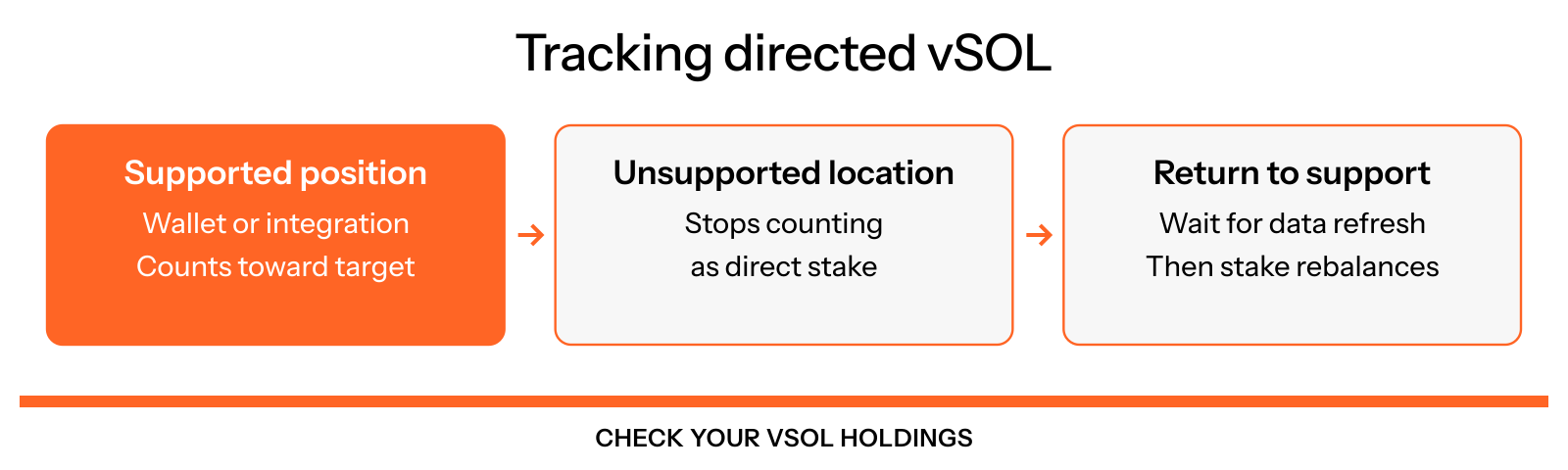
Figure 16.8: How directed stake stays tracked