🏠 Overview tab
Your validator's live snapshot: epoch, voting, leader slots, stake, APY, bonds and accounts.
The Overview tab is the app's home screen. It answers the everyday questions first: is the validator voting, is it producing blocks, and did its stake move. Cards run from top to bottom in the order below, and you can press and hold any card to move it.

The opening cards show the current epoch, voting activity, leader slots and stake profile (Figure 17.3).
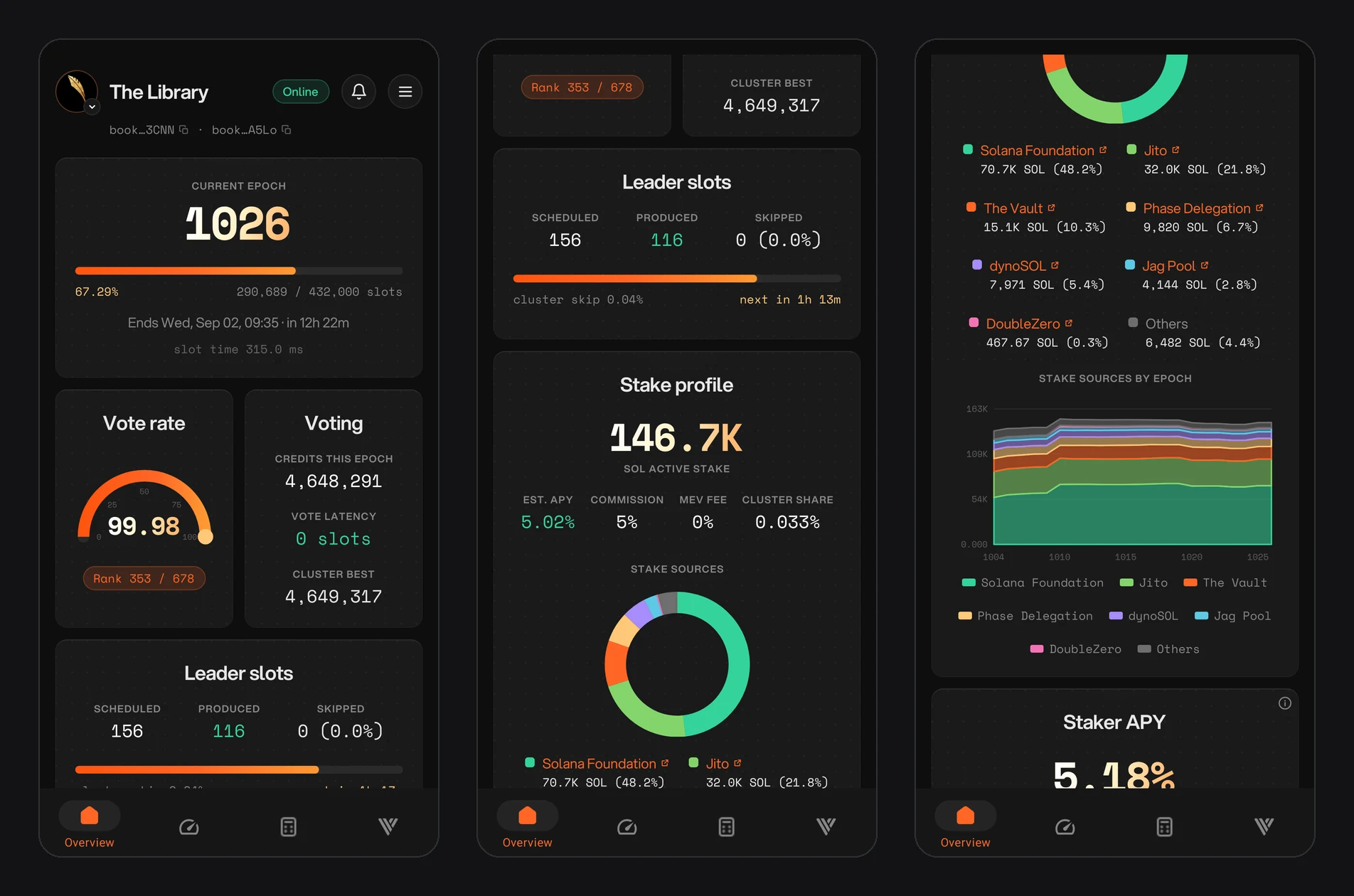
Figure 17.3: Overview tab: current epoch, vote rate, voting and leader slots, then stake profile and stake sources
Current epoch
The epoch number, a progress bar with the share of slots done (for example 287,319 of 432,000), when the epoch ends and how long that is from now, and the current slot time.
Vote score
Under Alpenglow, Solana's new consensus protocol, the vote score replaces vote credits and vote latency. It shows how much of its voting rewards your validator earned compared with the cluster, and your rank among all validators. The Performance tab shows its history.
Leader slots
Your leader slots this epoch: scheduled, produced and skipped, with your skip rate next to the cluster's skip rate and a countdown to your next leader slot.
Stake profile
These cards show your stake and where it comes from:
- Key figures: active stake in SOL, estimated APY, commission, MEV fee and your share of total cluster stake.
- Stake sources: a chart and list of who stakes with you, such as the Solana Foundation, Jito, The Vault and other stake pools, with the rest grouped as Others. Tap a pool's name to open its site.
- Stake sources by epoch: how that mix has changed over recent epochs.
Staker APY
The estimated yearly yield your delegators receive, split into inflation rewards after your commission and MEV after your MEV fee, next to the gross inflation rate. MEV is averaged over the last 30 epochs (Figure 17.4).
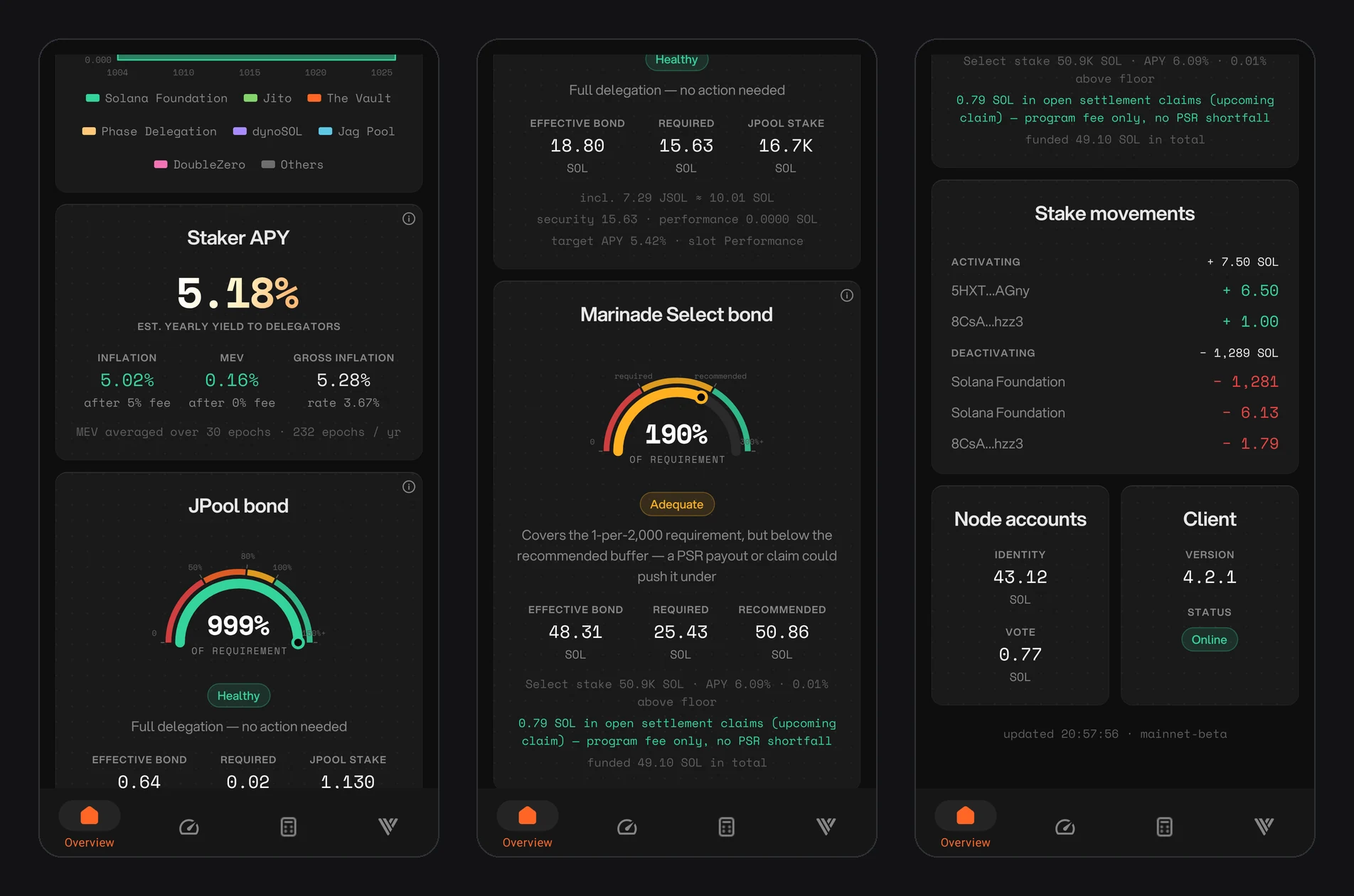
Figure 17.4: Overview tab: staker APY, JPool and Marinade Select bond health, stake movements, node accounts and client
Bond health
If your validator receives stake from a pool that requires a bond, a card shows how healthy that bond is. Cards appear only for the pools you are in.
- JPool bond: a gauge showing your bond as a share of the requirement, a plain-language status such as Healthy with what it means (for example "Full delegation, no action needed"), and your effective bond, required bond and JPool stake. JSOL held in the bond is included.
- Marinade Select bond: the same gauge with your effective, required and recommended bond, a status such as Adequate, and an explanation. For example, a bond can cover Marinade's 1-per-2,000 requirement but sit below the recommended buffer, where a payout or claim could push it under. Open settlement claims and the total you have funded are listed below.
Stake movements
Stake that is activating or deactivating this epoch, account by account, with the source named where it is known (for example the Solana Foundation). You see changes before they settle at the epoch boundary.
Node accounts and client
These cards cover your node:
- Node accounts: the SOL balance of your identity account and vote account.
- VAT fuel gauge: how many epochs of admission tickets your vote account balance covers. Under Alpenglow, your vote account pays a 0.8 SOL Validator Admission Ticket (VAT) every epoch instead of vote transaction fees.
- Client: the validator client version and status.
Your vote account also needs a BLS key to vote under Alpenglow. Admission ticket alerts warn you when the vote account can't cover the next ticket or has no BLS key.
At the bottom of the tab, the app shows when the data was last updated and the network (mainnet-beta).