🔔 Alerts and reports
Push alerts for your validator, plus weekly and monthly reports in an in-app inbox.
Validator Monitor can alert you when something happens to your validator, so you don't have to keep checking. It also sends a weekly and a monthly report.

Notification settings control alerts, while the Reports list holds weekly and monthly updates (Figure 17.10).
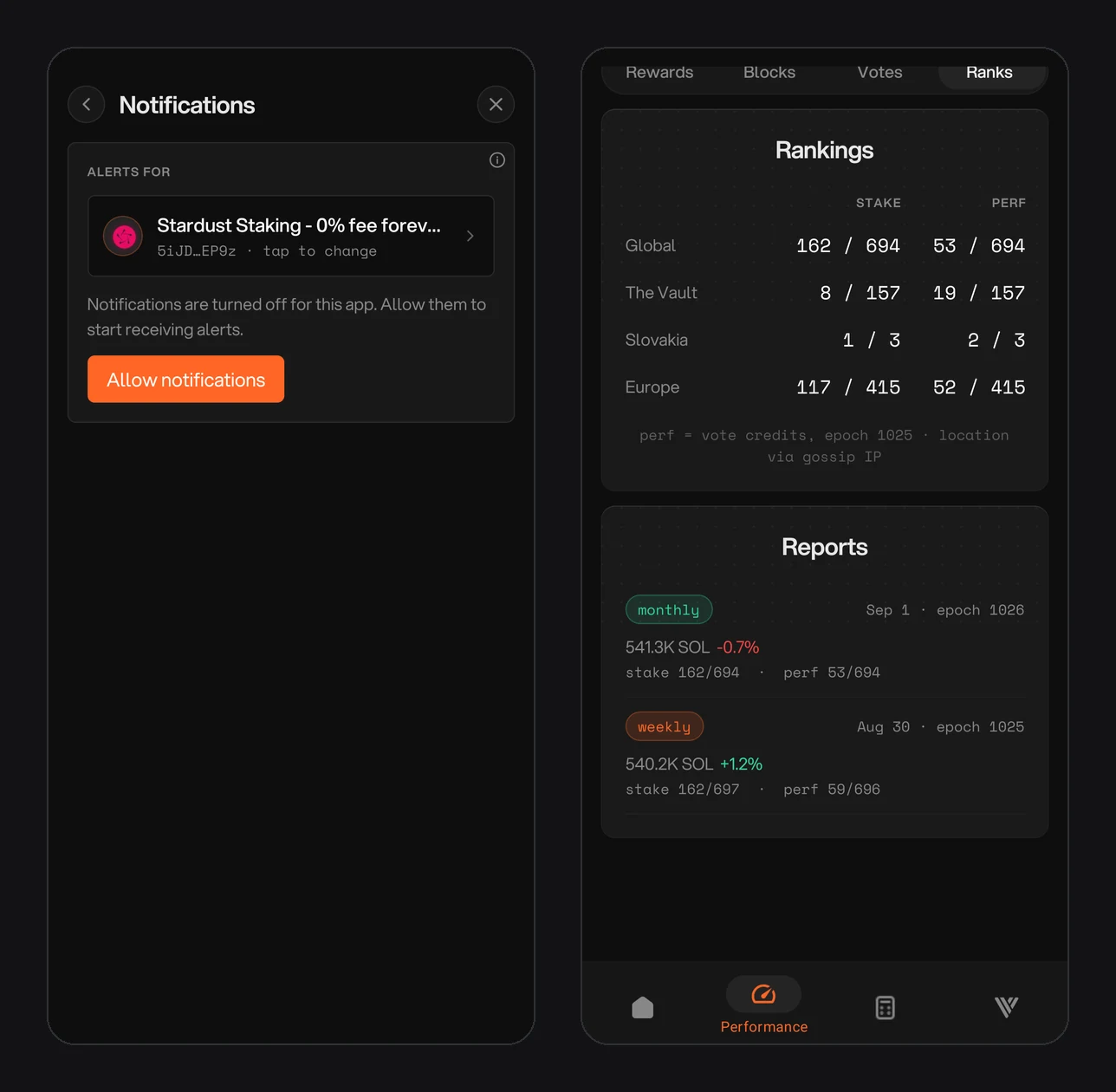
Figure 17.10: Notification settings with the alert validator and Allow notifications button, and the Reports list under Performance and Ranks
Turn on alerts
Open Notifications
In the top-right corner, open the menu and tap Notifications.
Choose the alert validator
Under Alerts for, check which validator the alerts follow. Tap it to choose a different one. The alert validator is set separately from the one you are viewing.
Allow notifications
If notifications are turned off for the app, tap Allow notifications and accept your phone's prompt.
Choose your alerts
Turn on the alerts you want. Stake changes, reports and invoices each have one switch.
What you get
Validator Monitor sends these notifications:
- Delinquency: your validator has stopped voting.
- Stake changes: stake is activating or deactivating.
- Skipped slots: your validator skipped leader slots.
- Epoch summary: a recap when an epoch ends.
- Bond alerts: the health of your stake pool bonds.
- Admission ticket alerts: your vote account can't cover the next 0.8 SOL Validator Admission Ticket, or it has no BLS key. Under Alpenglow, your validator needs both to vote.
- Invoice alerts: you have an unpaid Stake-as-a-Service or V-pool (Community Pool) invoice.
- Weekly and monthly reports: your stake and how it changed, with your stake and performance ranks.
The bell at the top of every tab opens your inbox. Every alert and report you receive is kept there, so nothing is lost if you swipe a notification away. Past reports are also listed in the Performance tab under Ranks.