🖥️ How to read Community Pool status
Read public voting power, validator eligibility, stake estimates and reward-epoch history.
Use Pool status to follow the Community Pool without connecting a wallet. It shows collective voting power, participating validators and reward accounting. The interface labels the page V-pool status.
Read the pool overview
The summary cards describe the pool as a whole, not the reward balance of your wallet (Figure 10.15).
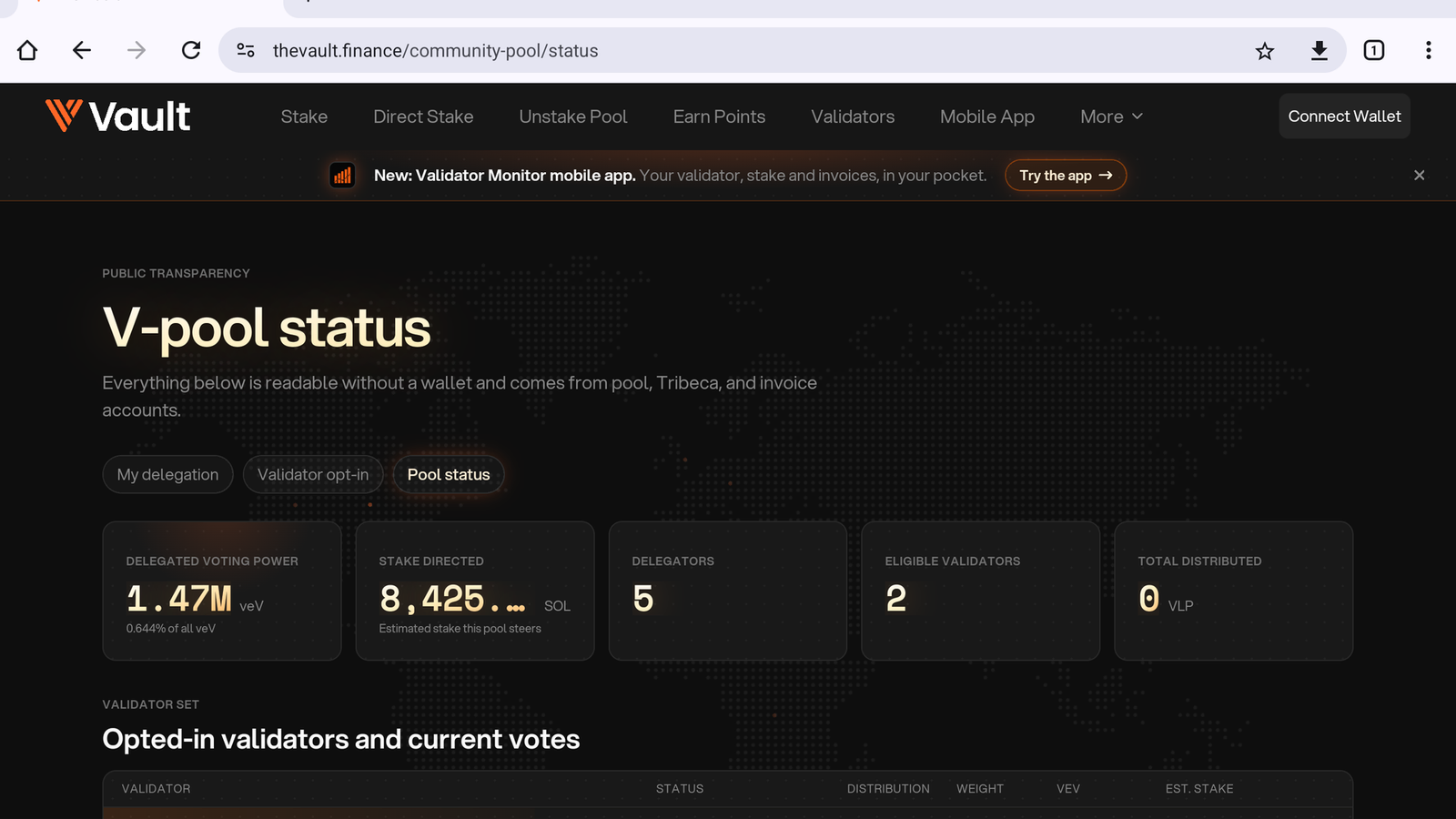
Figure 10.15: The public pool overview
Use these definitions when comparing the values:
| Card | Unit | What it means |
|---|---|---|
| Delegated voting power | veV | The pool's collective voting power and its share of all veV. |
| Stake directed | SOL | An estimate of stake the pool steers, not a guarantee that all of it is active already. |
| Delegators | Wallet count | The wallets delegating voting power to the pool. |
| Eligible validators | Validator count | Opted-in validators currently considered eligible. |
| Total distributed | VLP | Rewards distributed through the pool's reward accounting, not a quoted yield. |
Inspect a validator
Find the validator set
Scroll to Opted-in validators and current votes. Review Status, Distribution, Weight, veV and Est. stake (Figure 10.16).
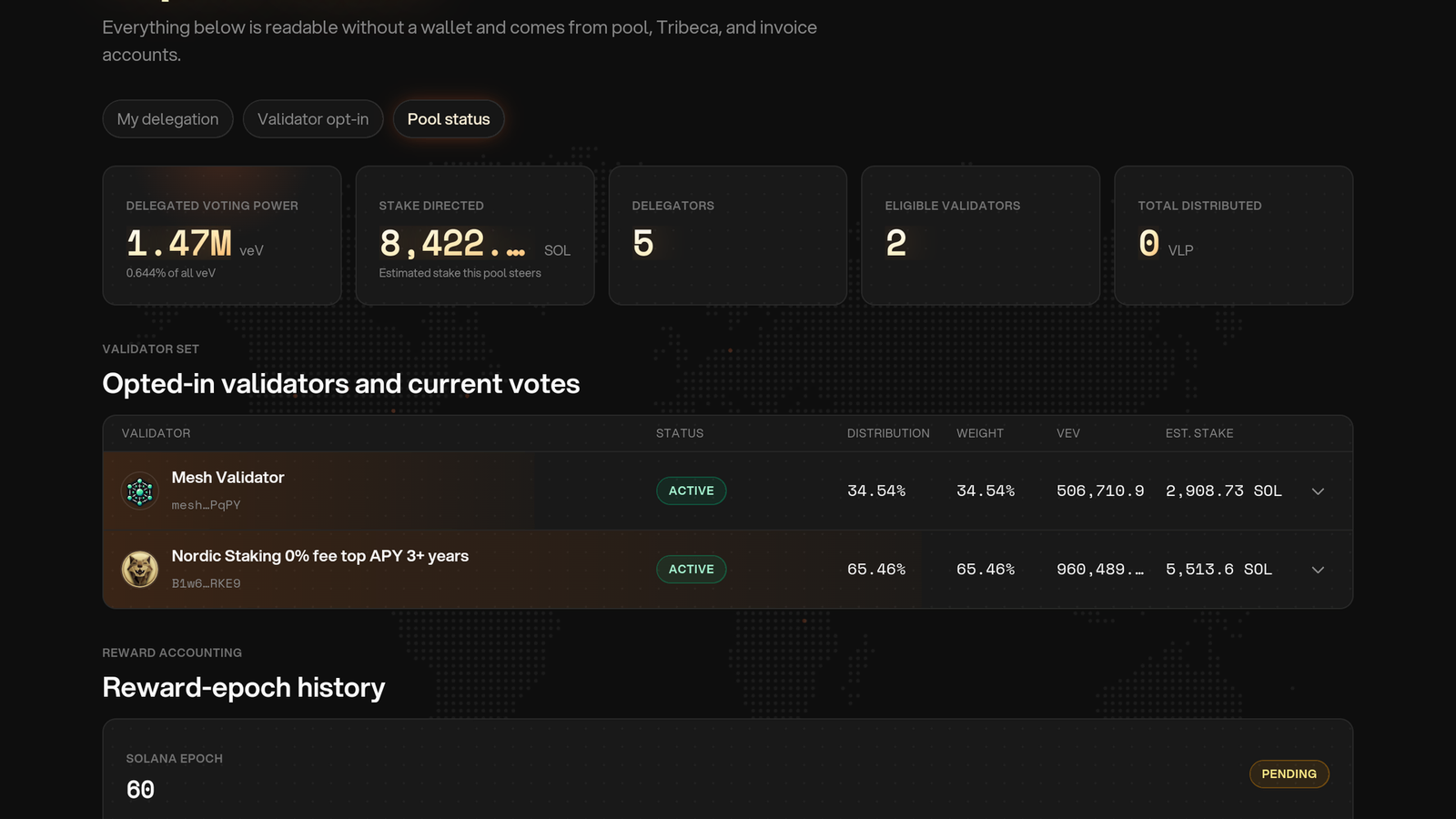
Figure 10.16: Validator participation and votes
Open a validator's details
Select its row to inspect the identity, vote account, gauge binding, status and voting figures. Use the account addresses to confirm you are checking the intended validator (Figure 10.17).
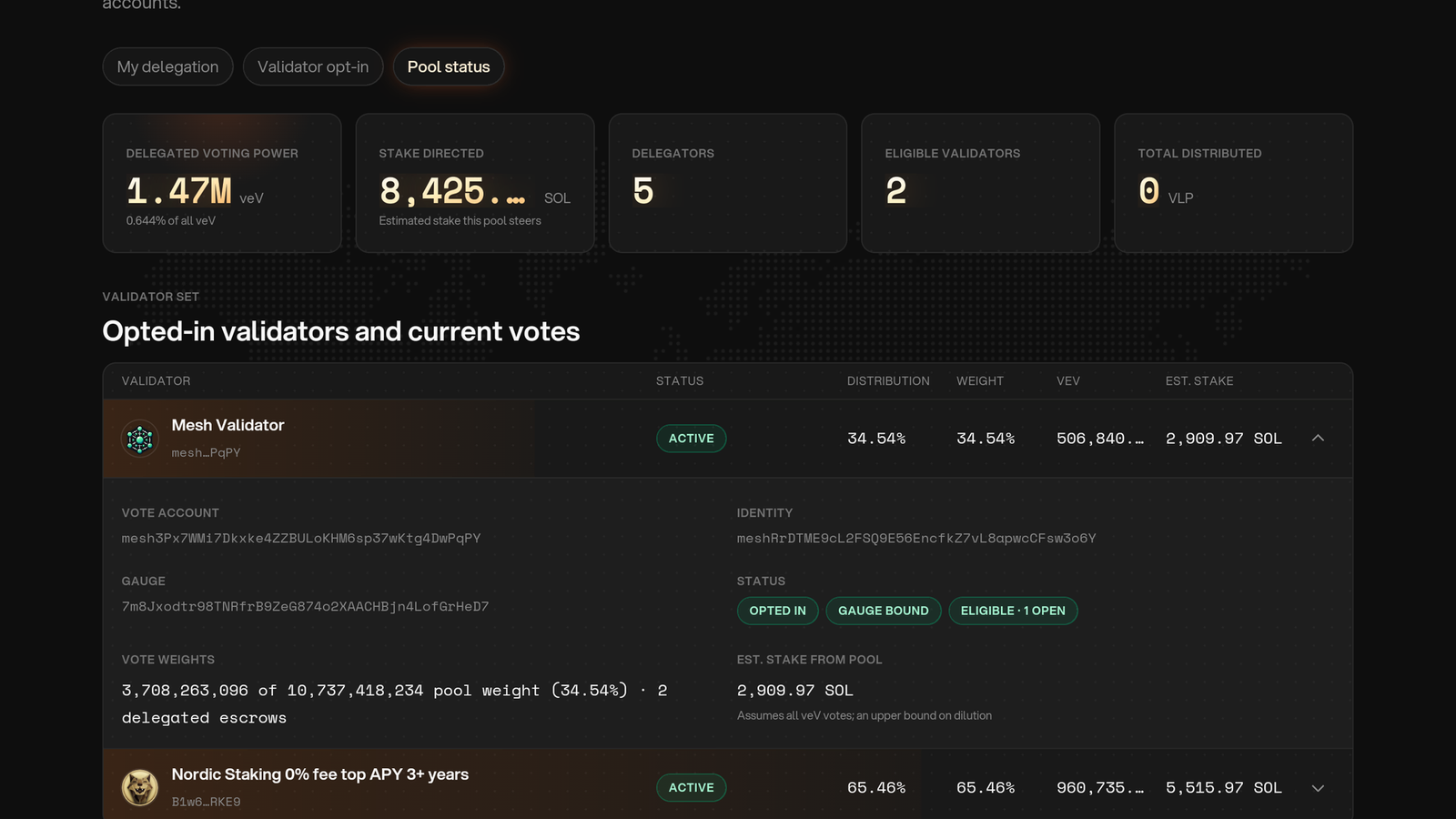
Figure 10.17: Inspect a validator
Check the reason for an unexpected allocation
Review eligibility and gauge binding, then check that validator's invoices in the validator dashboard. A late validator can lose its Community Pool allocation. See the payment rules.
An active status, an inactive entry, Awaiting gauge binding and Eligibility unknown mean different things. An unknown status is not confirmation of eligibility; refresh and check again before relying on it. The pool's allocation rule is equal voting power among eligible opted-in validators, while displayed current-epoch weights can reflect timing and changes in eligibility.
The stake estimate depends on voting participation and the gauge reserve. It is not a guaranteed amount, and it can differ from the validator's current active SOL or total stake from all sources.
Read reward-epoch history
Scroll to Reward-epoch history to inspect each reward epoch's Reward, Total power, Claimed and Distributed values. Pending means that epoch has not yet been finalized for claims (Figure 10.18).
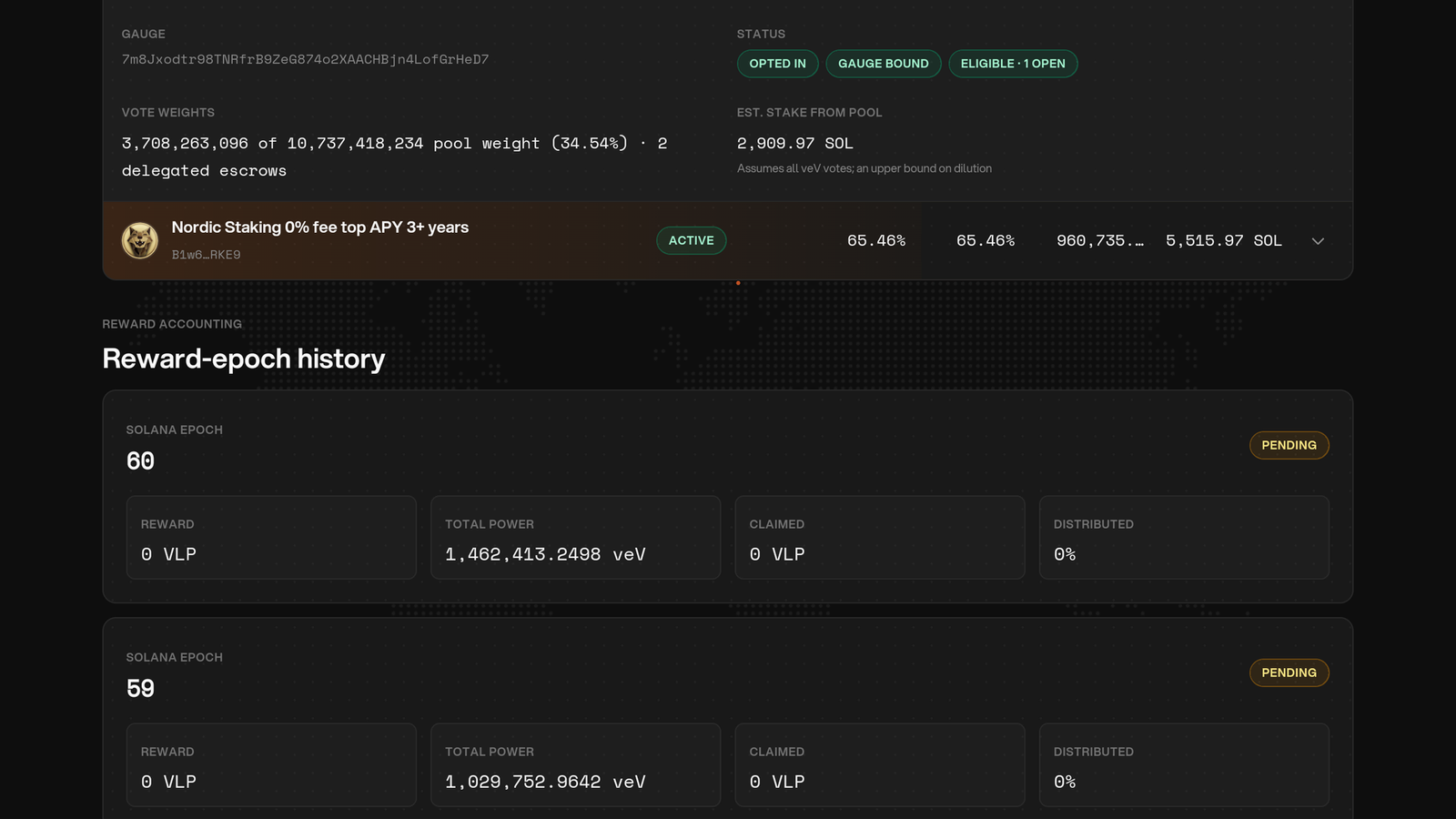
Figure 10.18: Follow reward epochs
Reward is the VLP funded into that epoch. Total power is the recorded veV used for allocation. Claimed and Distributed show how much has been claimed from the epoch. These totals do not establish your personal eligibility: check your snapshot and claimable amount in My delegation.
Interpret early payout data
The first reward can take approximately two weeks after delegation. Invoice payments fund rewards, and finalized epochs with a recorded wallet snapshot can be claimed manually. A pending or unfunded epoch is not evidence of a promised payment on a particular date.
Seven-day average earnings, annualized yield relative to the price of $V, and estimated break-even time are possible later analytics after sufficient payout history exists. They are not launch metrics or promised returns.