🤝 Community Pool
Delegate locked $V voting power, share validator earnings and follow Community Pool participation.
The Community Pool lets holders of locked $V delegate their veV voting power and earn a share of validator earnings. Eligible validators already in The Vault stake pool can opt in to receive an equal share of the pool's voting power. The website labels this feature V-pool.

How the pool works
Your $V stays in your own lock account. Delegation gives the pool permission to cast gauge votes using your veV. For rewards, you also need a snapshot for each reward epoch and a manual claim after that epoch is funded and finalized (Figure 10.1).
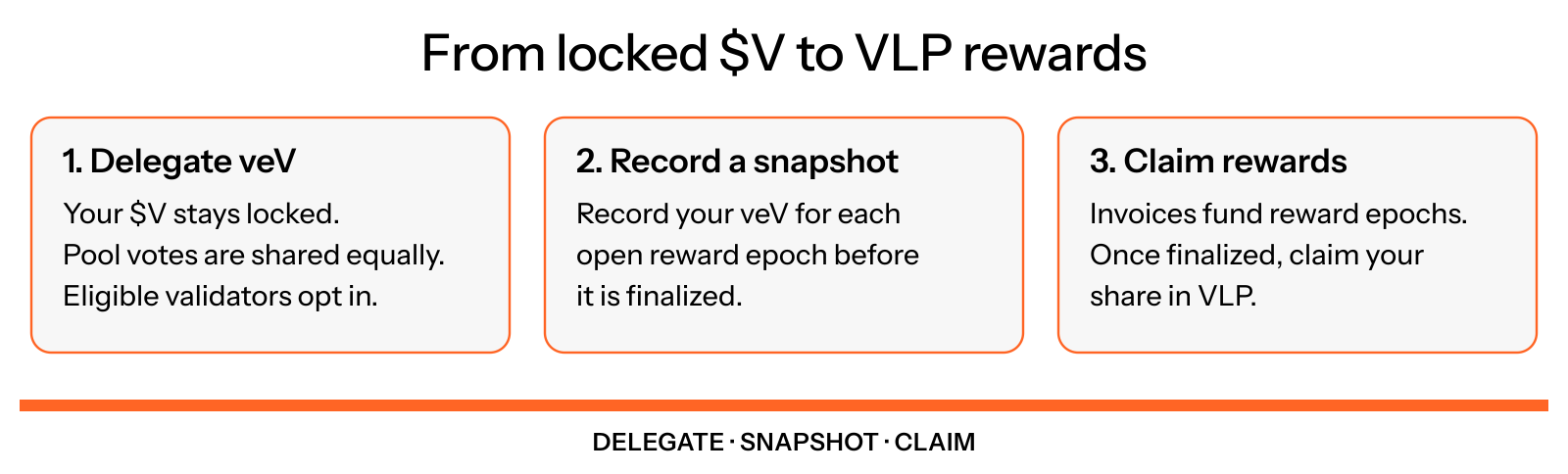
Figure 10.1: From delegation to a reward claim
Where the stake comes from
Gauges allocate 10% of The Vault's undirected stake. The Community Pool's collective voting power determines its share of that reserve alongside other gauge votes. It distributes its own voting power equally among eligible opted-in validators (Figure 10.2).
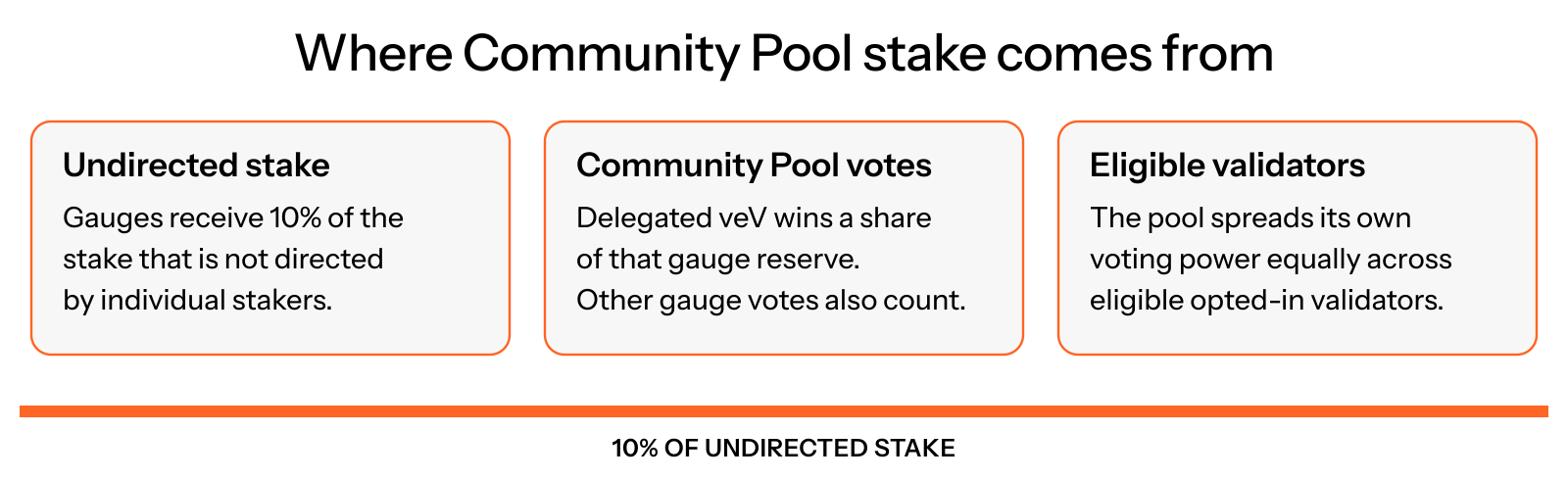
Figure 10.2: How Community Pool votes allocate stake
The pool does not automatically control the entire gauge reserve. A validator's total gauge allocation can also include votes cast outside the Community Pool. Actual SOL moves toward the voting target as the stakebot rebalances and Solana stake activates.
How earnings are shared
A validator retains 25% of the earnings generated by its Community Pool allocation and pays 75% as a Stake-as-a-Service fee. Those payments fund rewards for the pool's veV delegators. The split applies to earnings on that allocation, not to all earnings of the validator or a percentage of your locked $V (Figure 10.3).
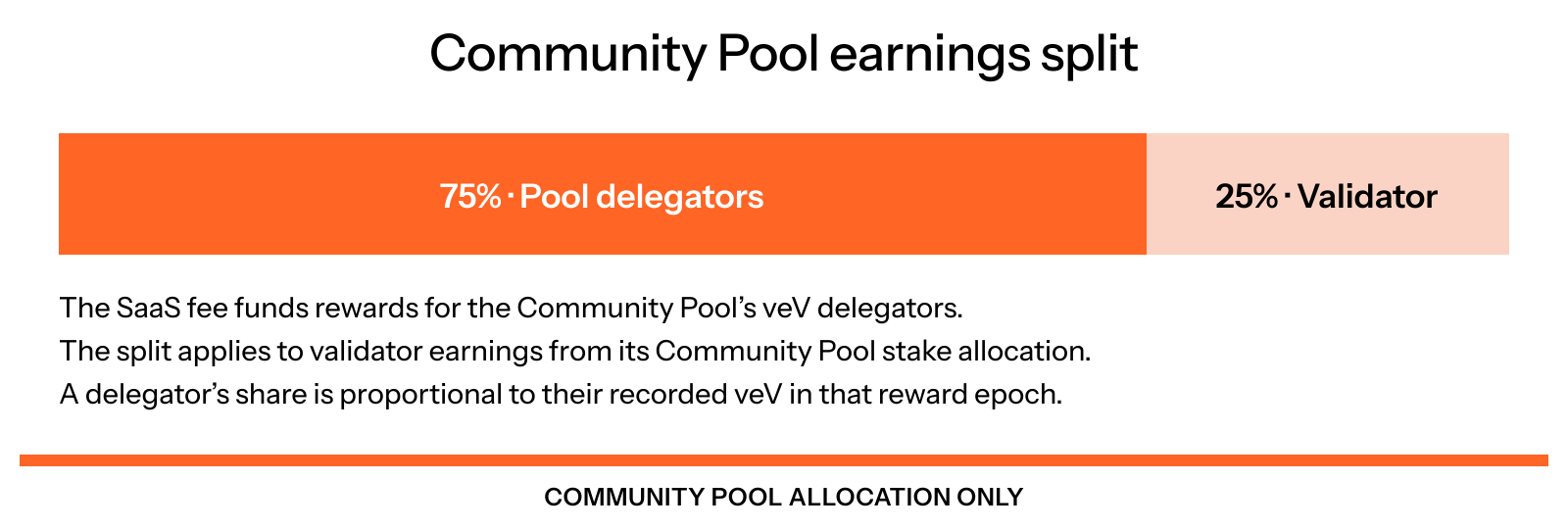
Figure 10.3: The Community Pool earnings split
Your reward share depends on your recorded veV relative to the total recorded power for that reward epoch. The new contract settles in VLP, so reward claims pay VLP. The amount varies with allocation, validator earnings, participating veV and invoices actually paid. Locking $V by itself does not create a fixed yield.
When rewards become available
Allow approximately two weeks for your first reward after delegating: up to one week for the next voting epoch, followed by an invoice payment window of up to three Solana epochs, roughly another week. Gauge epochs and Solana epochs are different clocks (Figure 10.4).
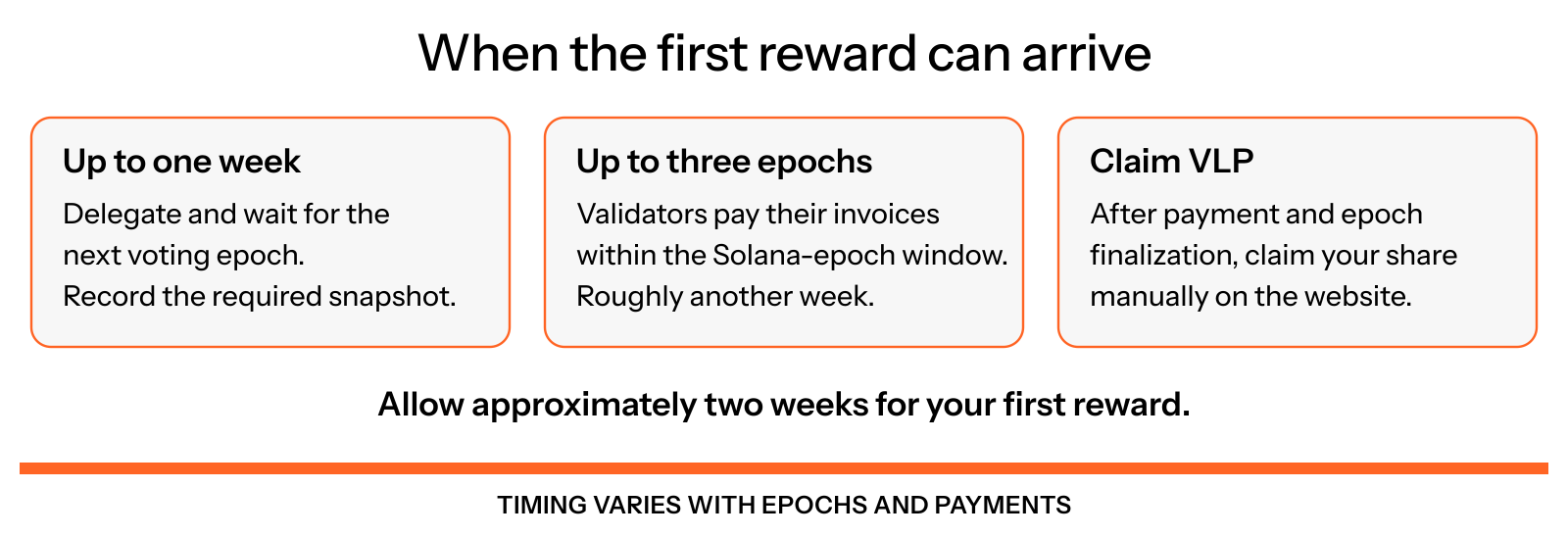
Figure 10.4: Timing of the first reward
Rewards are funded when validators pay their invoices. A claim also requires a recorded snapshot and a finalized reward epoch. At launch, use the website's Claim VLP button yourself. Batch claiming, automatic claims and claim-and-compound are possible later additions, not launch functionality.
Keep snapshots current
In My delegation, check Your pool epochs and use Snapshot now while an epoch is open. If your voting power changes, check whether you should use Refresh snapshot before finalization. Follow How to claim Community Pool rewards.
A finalized reward epoch without your snapshot cannot include you in its rewards. Delegating to the pool does not replace this snapshot step.
Validator payments and eligibility
Validators opt in through the website using an offline signature from their validator identity key. An ordinary wallet submits the transaction and pays its network fee. The validator must be in the pool's eligible on-chain registry and remain eligible.
Community Pool gauge stake has a three-unpaid-invoice cap. Validators must pay within three Solana epochs to retain it. The stakebot automatically blocks late validators and reallocates that Community Pool stake to paying eligible validators (Figure 10.5).
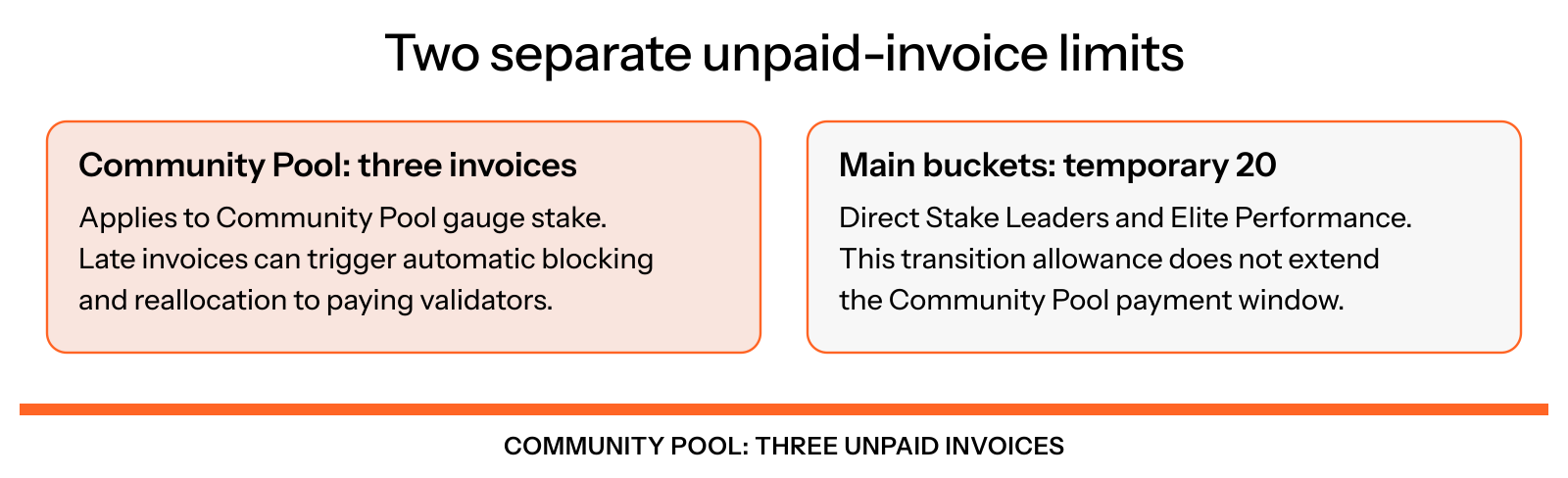
Figure 10.5: Separate payment limits
The temporary 20-unpaid-invoice transition allowance for Direct Stake Leaders and Elite Performance does not apply to the Community Pool. Update the official payment bot or adapt your custom integration before relying on automatic Community Pool payments.
Choose your next step
Use the guide for the action you want to take:
- Delegate your veV from the wallet holding your locked $V.
- Record snapshots and claim rewards.
- Opt in as a validator.
- Pay Community Pool invoices with VLP or supported SOL funding.
- Read Pool status without connecting a wallet.
- Resolve common questions about timing, eligibility and claims.