👮 Prefects
Learn how Prefects are selected and how they support fair community moderation.
Prefects help keep The Vault Discord welcoming, fair and enjoyable. They review reports, help resolve conflicts and apply the community rules consistently. Prefect applicants are voted on by the Community Council, with staff reviewing and approving the appointment.

How Prefects are selected
The selection process combines community input with staff oversight. Members submit an application, the Community Council reviews and votes on it, and staff review the application and Council input before making the final approval decision (Figure 19.15).
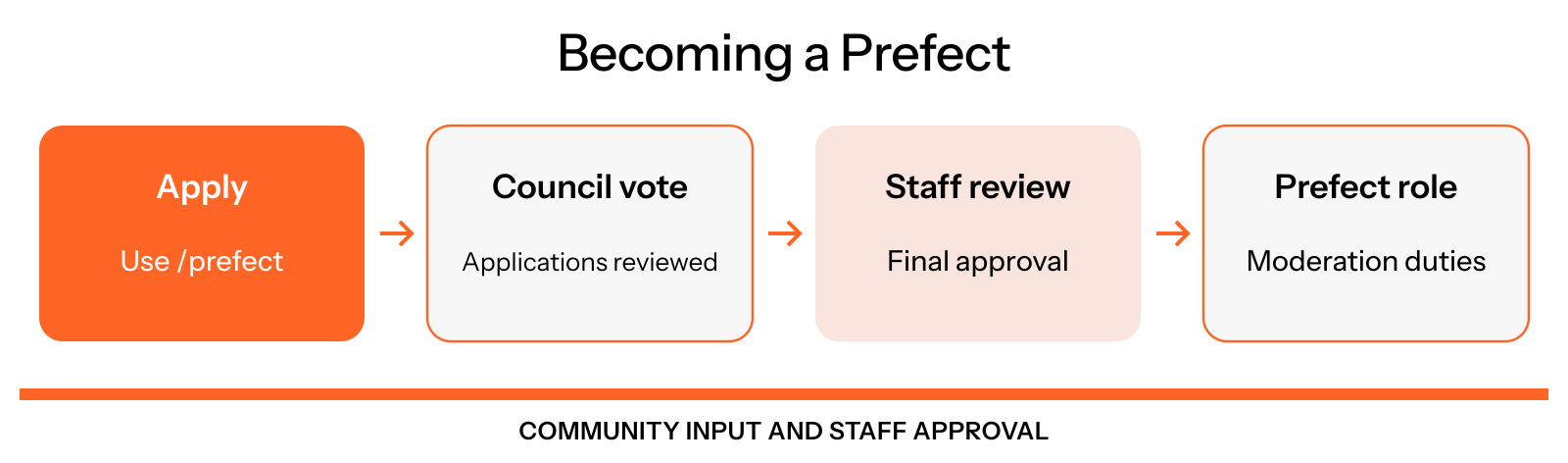
Figure 19.15: The Prefect selection process
Council support is part of the review process. Appointment requires staff approval.
Apply to become a Prefect
The application asks about your involvement in the community, how you handle conflict and how you would respond to example incidents. Thoughtful answers help reviewers understand your judgment and approach to fairness.
Request your application link
Use /prefect to receive your personal application link. The bot sends it by direct message, or in a private command response if it cannot send a DM.
Complete your application
Explain how you would review reports and enforce rules without bias. Answer the scenario questions and describe why you would be a good fit for the role, then submit the form.
Wait for Council voting and staff review
The Community Council reviews submitted applications and votes. Staff review the application and Council input, make the final decision and approve successful appointments.
What Prefects do
Prefects support a consistent moderation process:
- Review reports: Consider what happened, where it happened and the evidence available.
- Record their reasoning: Document the analysis and any action taken so a case can be reviewed.
- Enforce the rules: Use the moderation system to address infractions and protect fair participation in chats, games and community activities.
- Manage immediate concerns: Use quarantine when appropriate and bring cases needing further attention to staff.
- Respect the appeal process: Let eligible moderation decisions be reviewed through the Community Council's appeal process.
The role calls for calm judgment and impartial treatment of members, including friends and squad teammates. A report gives the team something to investigate; it is not itself a finding that someone broke a rule.
Report a concern
Members can use /report to send an incident to the moderation team. The form asks for the time, channel and a description of what happened. Include relevant message links and clear details so reviewers can understand the incident.
The bot confirms your submission privately and assigns a report number. Keep that reference if you need to provide more information. Reports are subject to the bot's submission limits.
Appeals and review
Eligible infraction notices include an Appeal button for the member who received the infraction. The bot checks whether the action can be appealed and whether its appeal window is still open.
An appeal lets the member explain why the decision should be reconsidered. The Community Council reviews appeals through the bot's voting process. Use the notice and the bot's response for the applicable deadline and next steps, and contact staff if you need help accessing the process.
Weekly role rewards
The current weekly Prefect reward is:
- 5,000 credits.
- Five raffle tickets.
- Three Quest Scrolls.
The reward is scheduled for Monday at 01:00 UTC, after the ticket reset. See Economy for what these rewards do.
Majors are appointed by staff to host community events and automatically receive Prefect powers. A member holding both roles receives the Major weekly role reward once. Community Council rewards are separate and can be added to either role's reward.