💰 Economy
Learn how to earn and use credits, Quest Scrolls, crystals and raffle tickets.
Credits, Quest Scrolls, crystals and raffle tickets connect the activities in The Vault Discord. You earn them through participation and community rewards, then use them for adventures, raffles and shared squad upgrades. These in-server balances and items are separate from SOL, $V and vPoints.

Four parts of the economy
Each balance or item has its own purpose:
| Balance or item | How you earn it | What you use it for |
|---|---|---|
| Credits | Approved submissions, game results and other community rewards. | Buying raffle tickets, entering the Colosseum and Arena, and contributing to squad Castle upgrades. |
| Quest Scrolls | Approved artwork, role rewards and other community activities. | One scroll starts one solo Guild quest. |
| Crystals | Converting surplus XP or receiving a crystal reward. | Each crystal can be sold for 5,000 credits through the Guild's crystal system. |
| Raffle tickets | Event and community rewards, or purchases with credits. | Entries in the weekly raffle and progress toward squad competition. Tickets reset weekly. |
Use /inventory in the items channel to see your credits, tickets, Quest Scrolls and crystals. XP determines your level and supports crystal minting. Use /rank to check your progress, and see Community roles for the XP rank ladder and other public roles.
Credits
Credits are the balance you earn and spend within the community. Approved Community submissions, game results and role rewards provide ways to earn them.
You can spend credits on these activities:
- Raffle tickets: Use
/buywith the number of tickets in the items channel. Each ticket currently costs 2,000 credits. The bot deducts the credits and adds the tickets when the purchase succeeds. - Daily battles: A Colosseum or Arena entry costs 1,000 credits. See Colosseum and adventures for entry windows and rewards.
- Squad upgrades: Use
/castlein your squad channel to view available perks and/perkto contribute credits. See Squads for shared Castle upgrades.
Credits connect raffle entries, daily battles and shared squad upgrades (Figure 19.8).
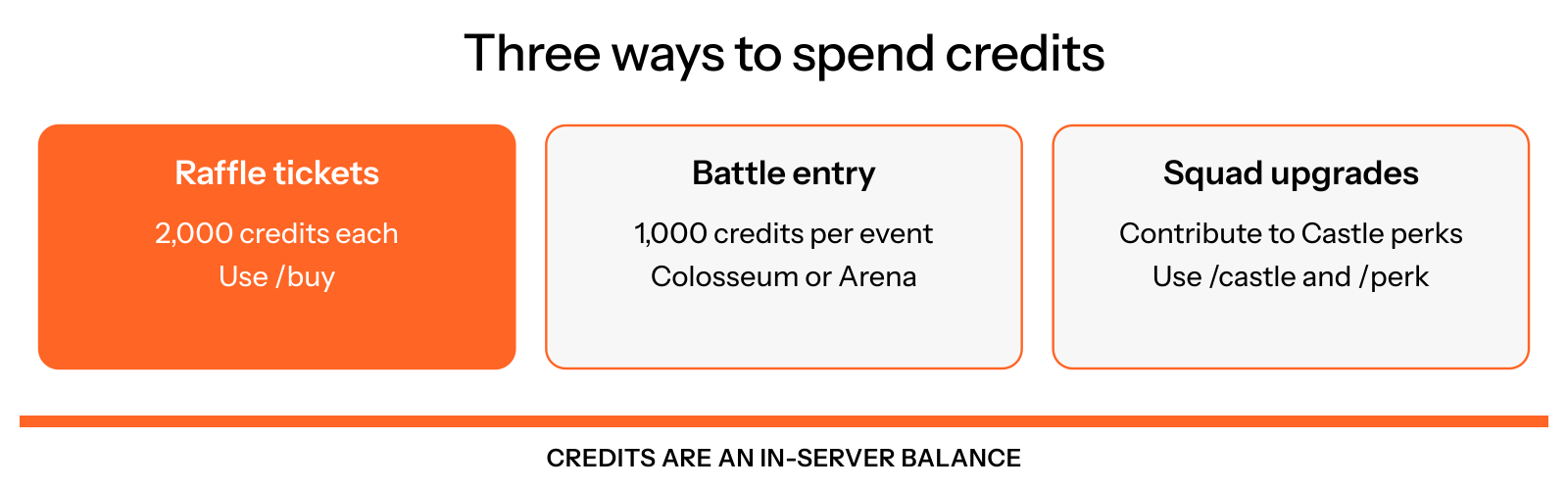
Figure 19.8: Ways to spend credits
Weekly tickets and raffles
Raffle tickets belong to the current week and reset on Monday at 00:00 UTC. Before clearing them, the bot records the completed week's tickets and squad eligibility for the draw. New tickets earned after the reset count toward the new week.
Your squad's Active Duty threshold controls whether your tickets count toward its total and average. Members can also qualify for the main raffle without a squad. See Squads for the current prizes, eligibility and two ways squads can win.
Ticket purchases may briefly pause around the weekly reset. Follow the bot's retry message if a purchase is unavailable.
Weekly tickets are recorded before the Monday reset, and new tickets then count toward a fresh week (Figure 19.9).
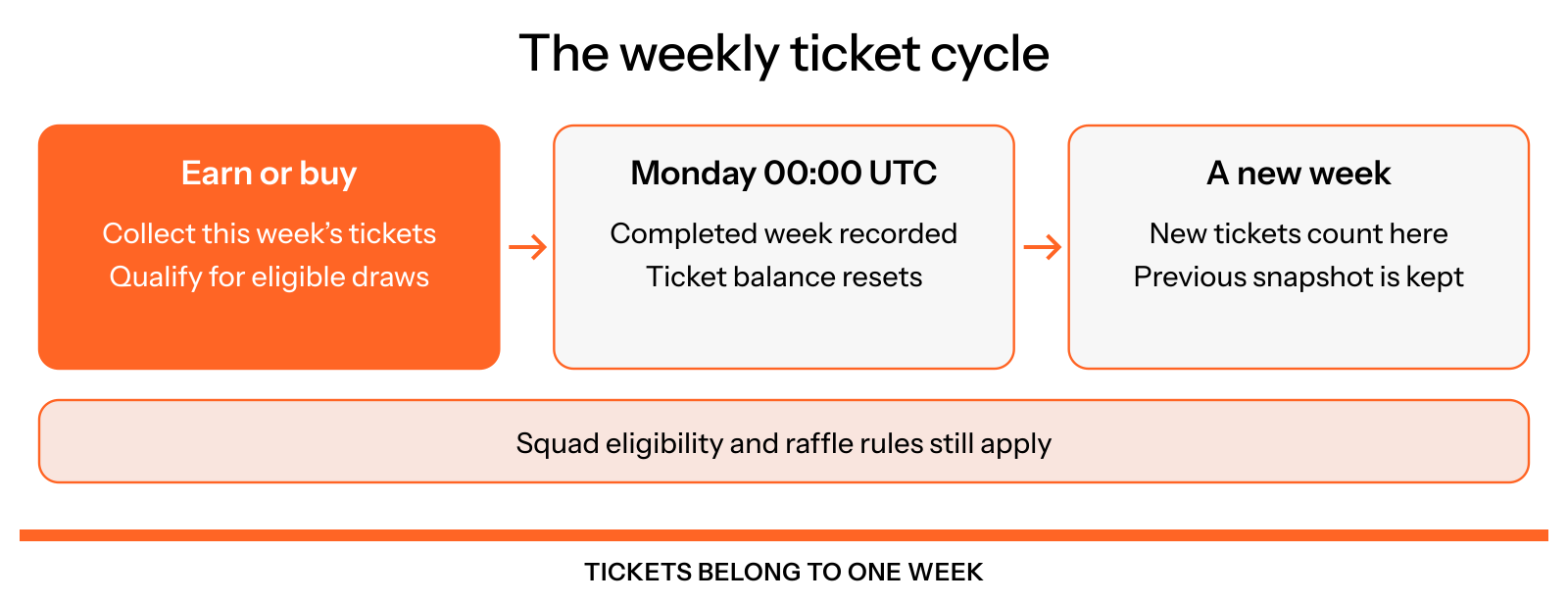
Figure 19.9: The weekly ticket cycle
Quest Scrolls
A Quest Scroll is a single-use entry to a solo adventure. Use /quest in the Adventurers’ Guild to consume one scroll and join the quest queue.
The bot tells you your queue position, then posts a five-part story. One quest runs at a time and takes about 5 minutes. Completed quests award XP; credits and raffle tickets depend on the quest's tier and outcome. A scroll does not guarantee every reward type.
An approved artwork commission includes one scroll when claimed. Other community and role rewards can also award scrolls. See Colosseum and adventures for the quest guide.
A scroll starts a queued adventure with rewards based on its tier and outcome (Figure 19.10).
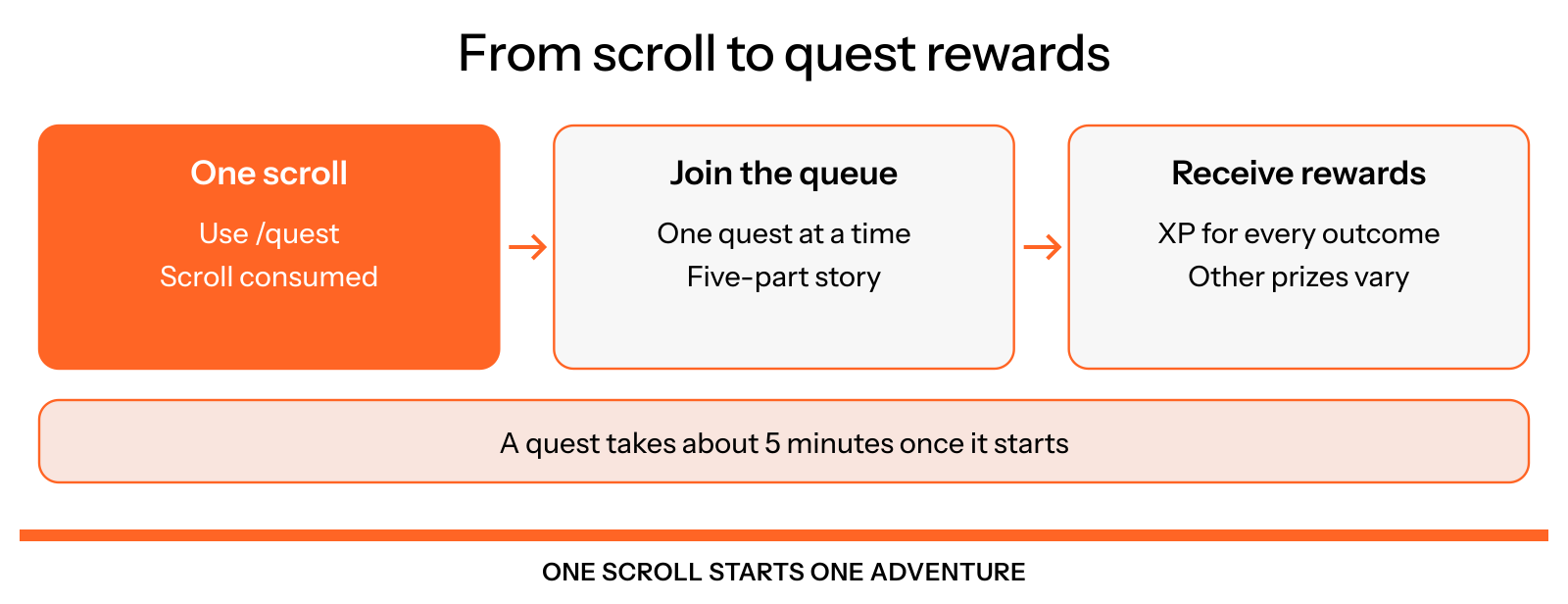
Figure 19.10: From scroll to adventure
Crystals and XP
The crystal system opens at level 50 in the Adventurers’ Guild. Minting one crystal consumes 5,000 XP. Selling one crystal adds 5,000 credits.
Minting reduces your XP and can lower your level. The bot only allows conversions that leave you at or above the level 50 XP floor. Reaching level 50 alone is not enough to mint a crystal; you need another 5,000 XP above that floor for each one. This minting is an in-server item conversion.
Check your available XP
Use /crystal in the Adventurers’ Guild to see your crystal balance and how many crystals you can mint.
Mint crystals
Use /mint with the number of crystals you want. The bot consumes the required XP and adds the crystals to your inventory.
Sell crystals
Use /sell with the number of crystals to exchange for credits. The bot removes those crystals and adds 5,000 credits for each one.
Surplus XP can become crystals, and crystals can then be exchanged for credits (Figure 19.11).
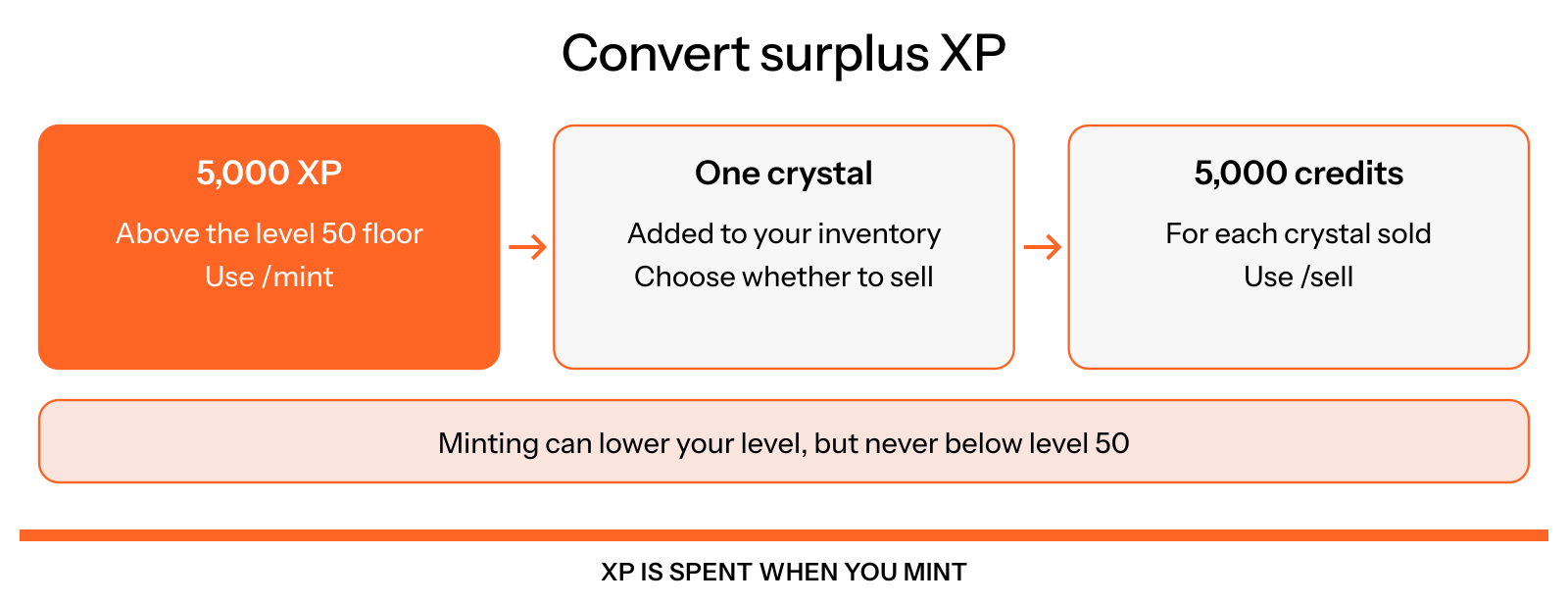
Figure 19.11: From surplus XP to credits
Other community rewards
Approved gratitude messages, artwork and governance proposals have their own reward rules. See Community submissions for eligibility, review and weekly limits. Hosted activities can also award tickets; see Game events.
Members serving as Majors or Prefects receive weekly role rewards. The role pages explain the amounts and how overlapping roles are handled.
Reward bombs and supply drops appear in community channels. Use the entry or claim button on the post and check its eligibility, deadline and available rewards. Public role rewards and supply-drop roles are listed in Community roles.
USDC and vPoints prizes follow the payment workflow described under Prize roles. An in-server credit balance is not a pending wallet payment.