🏅 Squads
Learn how to join a squad, qualify for Active Duty and compete for weekly raffle prizes.
Squads are teams in The Vault Discord. Members earn raffle tickets through community activities, compete on weekly leaderboards and pool credits for shared Castle upgrades.

How squads win
Each week, two different squads earn their own member raffles: one for the highest total ticket count and one for the highest average tickets per active member. If the same squad leads both categories, the second-place squad in the average category receives the other raffle (Figure 19.2).
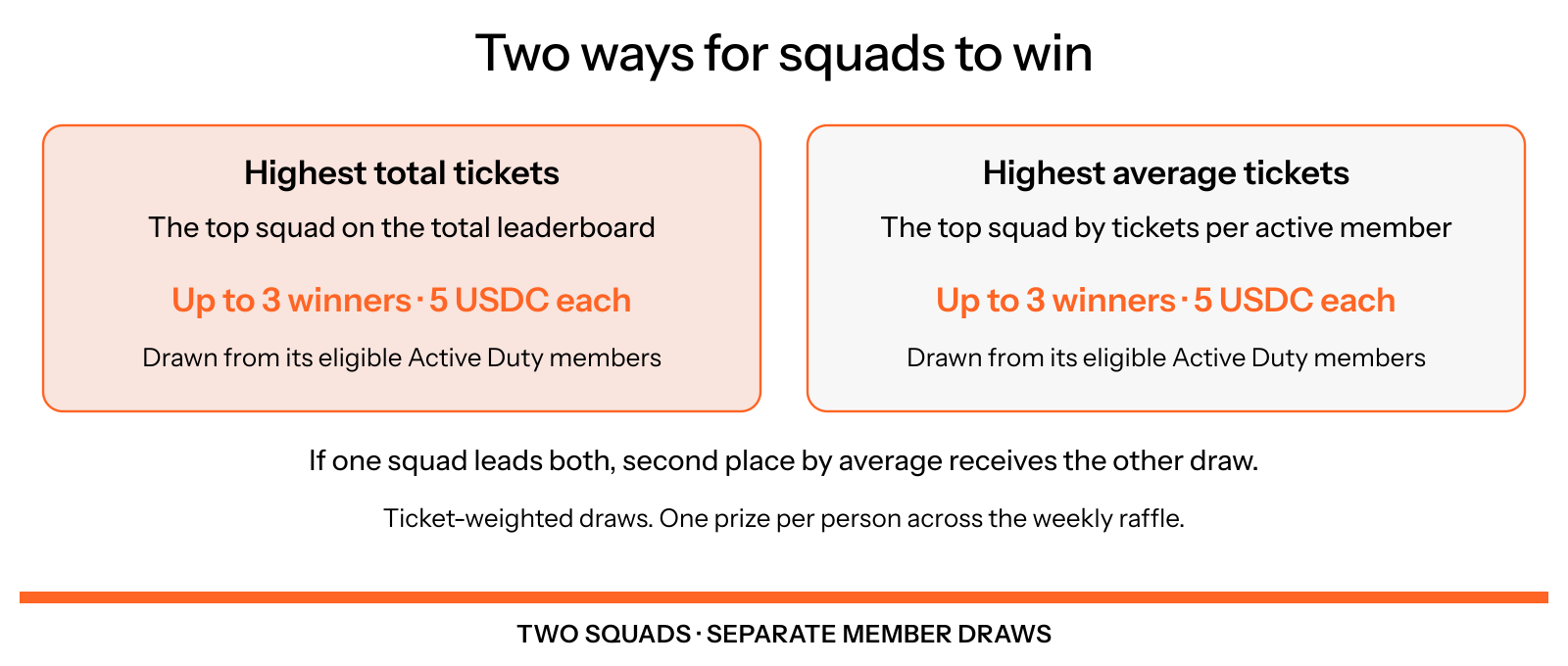
Figure 19.2: Two routes to a squad raffle
The current weekly raffle includes these prizes:
| Category | Who qualifies | Current prize |
|---|---|---|
| Highest squad total | Eligible Active Duty members of the squad with the highest final ticket total. | Up to three winners, 5 USDC each. |
| Highest squad average | Eligible Active Duty members of the squad with the highest final average, or second-highest when the total winner also leads this category. | Up to three winners, 5 USDC each. |
| Main raffle | All eligible weekly ticket holders, including members outside the two winning squads and members without a squad. | Up to five winners, 5 USDC each. |
| MVP | The eligible member with the most weekly tickets. If several members tie for the lead, one is selected at random. | One winner, 5 USDC. |
The bot selects the MVP first, then draws the main raffle and the two squad raffles. Each ticket is one entry in a random draw, so more tickets improve your chance. Once you win in any category, you are removed from the remaining draws that week. A squad victory creates extra chances for its eligible members; it does not give every member a prize.
There are up to 12 distinct winners and 60 USDC in total. A draw can award fewer prizes if there are not enough eligible members who have not already won. Check the weekly raffle announcement for the prizes offered in that draw.
Active Duty and ticket thresholds
Your squad's Commander sets the weekly ticket minimum for Active Duty. When you meet it, the bot gives you the Active Duty role, counts your tickets toward the squad's total and average, and makes you eligible for its squad raffle if the squad wins.
Use /threshold show to see your squad's current minimum. A threshold of 0 means no extra minimum, but you still need at least one ticket. For example, if the minimum is 10 tickets, a member with 9 does not contribute to the squad's score or qualify for its squad raffle; reaching 10 activates both. The squad threshold does not restrict eligibility for the main raffle or MVP prize.
Commanders can set a minimum from 0 to 1,000 with /threshold set, or use /threshold vote to let the squad choose. Each squad member has one vote. The most popular option wins; a tie selects the lower threshold, and a poll with no votes leaves it unchanged. A seven-day squad cooldown starts when a threshold is set or a vote opens.
Before the weekly cutoff, the bot checks whether at least 10 members meet the threshold. If fewer qualify, it lowers the minimum to include the 10 highest ticket holders. If fewer than 10 members have tickets, it removes the extra minimum so everyone with at least one ticket can count. A member with zero tickets still does not qualify. Any adjustment is announced in the squad channel.
Members under disqualifying moderation penalties cannot win, and penalties can reduce a squad's leaderboard score. The published final standings determine the winning squads.
The weekly cycle
Tickets reset on Monday at 00:00 UTC. Before clearing them, the bot records the completed week's tickets, final squad standings and Active Duty eligibility. The role then resets and must be earned again for the new week.
The squad raffle uses that recorded eligibility, so losing the role at the Monday reset does not erase your qualification for the completed week's draw. Tickets earned after the reset count toward the new week. Results are announced in the war room.
Register your Solana wallet with /wallet in The Vault Discord so the payment bot can handle a prize. Once a payment is claimable, use /claim inside a support ticket. See Community roles for the temporary Winner role used for USDC payments.
Join a squad
Squad recruitment opens at level 10, the Private First Class XP rank. The current squads are Black Panthers, Ghost Howlers, Dragon Alliance and Iron Wolves.
Reach level 10
Use /rank to check your progress. When you reach level 10 without a squad, the bot normally gives you the Nomads role so squad leaders can recruit you.
Receive an invitation
A Captain or Commander sends a recruitment invitation in the Nomads channel. Let the squad leaders know which team interests you.
Join your team
Select Join on your invitation before it expires after 24 hours. The bot assigns the squad role and welcomes you in its channel. Check /threshold show and participate in activities to earn tickets.
You can decline an invitation or select Opt-out to become a Lone Wolf and stop receiving recruitment invitations. Use /abandon to leave a squad or Lone Wolf status and return to Nomads. Leaving a squad also removes your Captain, Commander and Veteran roles, if you hold them. You can then accept an invitation from another squad.
Squad leadership
Members take on different responsibilities within the team:
- Commander: Leads the squad, recruits members, appoints Captains and manages the Active Duty threshold. Captains can stand in a squad election when this position is vacant.
- Captain: Recruits Nomads, starts elections when needed, calls referendums and helps coordinate the squad.
- Veteran: Recognizes former squad leadership after retirement or a Captain demotion. It does not retain leadership powers.
See Community roles for the role details and the Squads command guide for recruitment, elections and founding a squad with /charter.
Shared Castle upgrades
Squads can also pool community credits toward Castle perks, including a Private Audio Chatroom and Squad Reward Bombs. Use /castle in your squad channel to see the available perks and progress, and /perk to contribute credits to a chosen upgrade. When a perk is fully funded, staff are notified to activate it.
Castle contributions spend credits on shared upgrades. They do not add raffle tickets or change your squad's weekly leaderboard score.
Community representation
Each squad selects up to five members to serve on the Community Council. Speak with your squad leadership about its selection process and available places.