🔏 Locking $V
Lock $V for veV, manage a single expiry and delegate to the Community Pool for VLP rewards.
Lock $V in the Vote Locker to receive voting power called veV. vPoints cannot be locked: they are options that you exercise to purchase $V. The amount of $V in a lock and its duration are independent settings.

One Lock per Wallet
Each wallet has one $V lock account with one expiry date. You choose how much $V to lock and a duration of up to 5 years. All $V in that lock shares the same expiry.
You can add more $V or extend the duration. Extending the lock applies to every token already in the lock; it does not require you to lock every other $V token held in your wallet.
Add More $V to an Existing Lock
You can add as much $V as you want to the same lock, including after you have extended it. The added tokens share the expiry of the tokens already locked. Adding tokens does not reset or extend that expiry.
For example, if your lock contains 100 $V with 4 years remaining and you add 50 $V, the lock contains 150 $V with the same expiry date. You do not need another wallet to add those tokens (Figure 4.13).
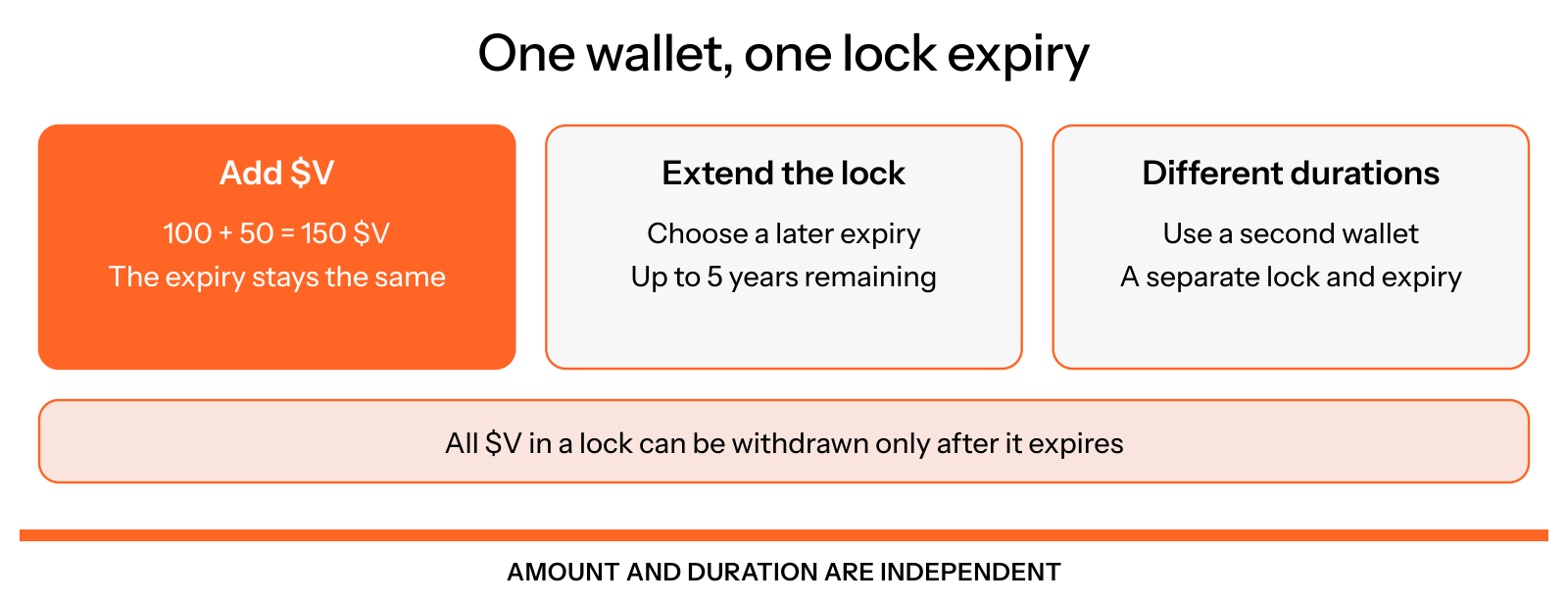
Figure 4.13: Adding tokens and extending a lock
Extend the Lock Duration
You can choose a new remaining duration that is longer than the time currently left, up to 5 years from the extension. Extending a lock does not automatically reset it to 5 years.
For example, with 4 years remaining, you can extend to 4 years and 10 days, 4 years and 100 days, or 5 years. Every $V token in the lock then shares the new expiry. You cannot shorten an existing lock.
Use Different Lock Durations
A second wallet is needed when you want a separate set of tokens to have a different lock duration. For example, you can keep a 5-year lock in one wallet and create a 1-year lock in another. You cannot change the existing 5-year lock into a 1-year lock or give newly added tokens an earlier expiry within that same lock.
Withdraw After Expiry
You can reclaim the $V in a lock only after it expires. Check your locked balance and expiry in the Vote Locker. veV represents voting power while $V is locked; it is not an additional $V balance to withdraw.
Earn Rewards Through the Community Pool
You can delegate your veV to the Community Pool. Your $V stays in its lock. The pool distributes its gauge voting power equally among eligible opted-in validators, which pay 75% of the earnings from their Community Pool allocation to fund delegator rewards and retain 25%.
Rewards are paid in VLP in proportion to each delegator's recorded veV. The system takes reward snapshots automatically for you each epoch; you do not need to take them manually. Claim available VLP once the epoch is funded and finalized (Figure 4.14).
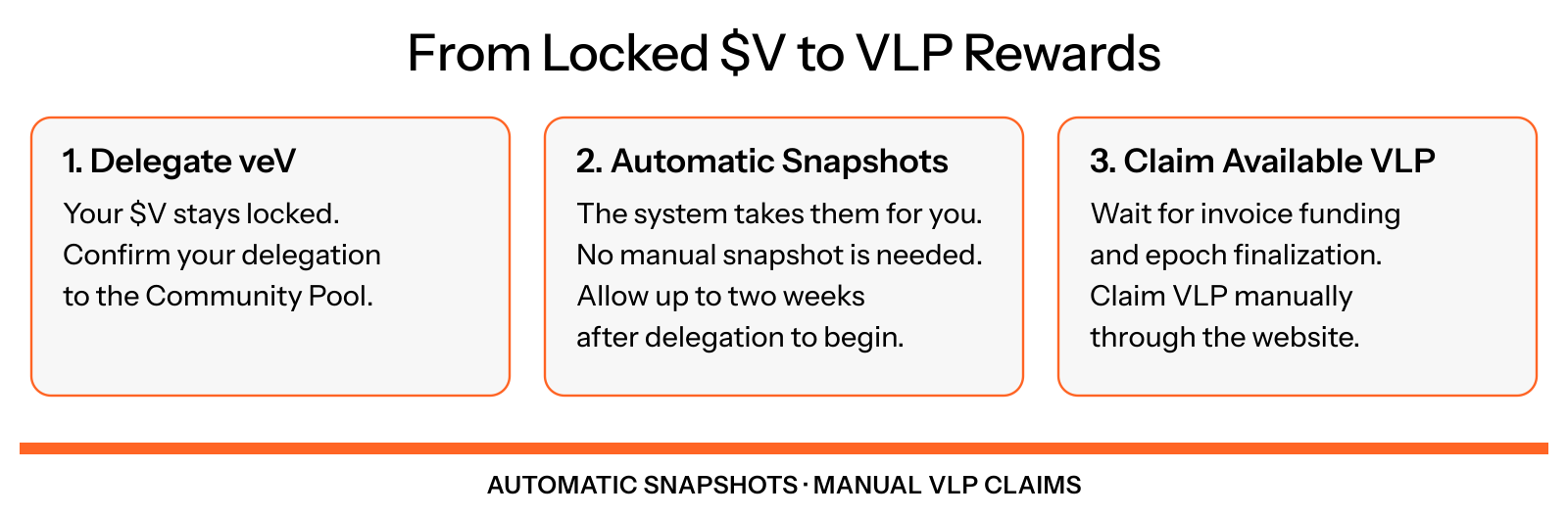
Figure 4.14: Use locked $V voting power for pool rewards
Automatic snapshots may take up to two weeks to begin after delegation. Rewards also require funded, finalized epochs before you can claim. Locking alone does not automatically pay rewards. Follow How to claim Community Pool rewards.
Adding $V or extending a lock can change your voting power. You can check recorded snapshots in My delegation; snapshot recording remains automatic. Undelegating from the Community Pool does not unlock your $V or change its expiry.
Exercise vPoints to Purchase $V
To obtain $V from vPoints, exercise your points during the relevant season's exercise window and pay that season's strike price in vSOL at thevault.finance/exercise-tokens. You can then choose to lock the $V you purchased. Exercising vPoints and locking $V are separate actions.
See How to collect vPoints and $V Options for the points and exercise process.