🧭 Delegation onboarding guide
What a newly approved validator needs to know: how stake reaches you, what it costs, and how to keep receiving it.
You passed the Validator Board review and joined the approved list. This page covers how stake from The Vault reaches you, the fees on it, and what keeps it flowing.

The stakebot updates allocations every three hours. Once you qualify for a bucket, or receive eligible direct stake or gauge votes, it includes the corresponding allocation automatically. Approval alone does not guarantee stake.
How you receive stake
The Vault splits its undirected stake three ways, and you can receive stake from all three at the same time (Figure 8.4).
| Program | Share | How you qualify |
|---|---|---|
| Gauges | 10% | Receive manual veV votes, or opt in to the Community Pool for an equal share of its voting power. Stake follows gauge voting weight. |
| Direct Stake Leaders bucket | 40% | Be among the top 100 validators by total direct stake through The Vault, from vSOL or Kamino Multiply. The top 100 share equally. |
| Elite Performance bucket | 50% | Be among the top 50 approved validators with 0% base and 0% MEV commission, ranked by vote credits. |
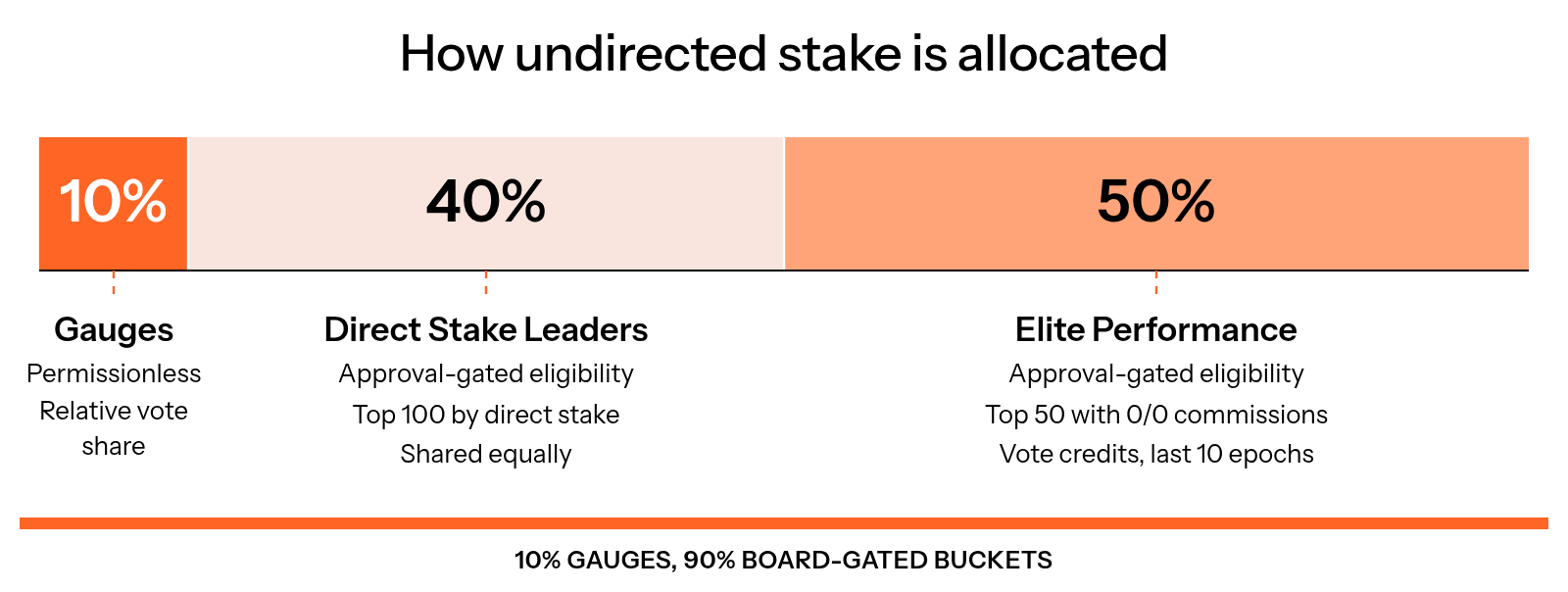
Figure 8.4: How undirected stake is allocated
Direct stake to your own validator counts, and so does vSOL your community directs to you. External self stake outside The Vault does not. Check the Direct Stake Leaders and Elite Performance tabs on the validators page. The SOL floor and vote credit floor cards show the current cutoffs; your validator must also meet the relevant bucket criteria.
Stake-as-a-Service fees
Stake you receive from the Direct Stake Leaders and Elite Performance buckets carries a Stake-as-a-Service fee of 25% of the earnings on that stake. Your direct stake, including vSOL and Kamino positions, is not charged that fee. Community Pool allocations have a separate 75% earnings fee; validators retain 25%.
An invoice is issued every epoch, one epoch after the allocation. Open your validator on the validator dashboard, review the settlement token and payment quote, then pay. Current invoicers use vSOL or VLP, with SOL funding through supported payment flows. Update the SaaS payment bot for the Community Pool invoicer and VLP before relying on automatic payments; see Pay your fees automatically.
The temporary 20-unpaid-invoice allowance applies to Direct Stake Leaders and Elite Performance. Community Pool stake keeps the separate three-invoice cap; pay within three Solana epochs to retain it (Figure 8.5). See payment terms.
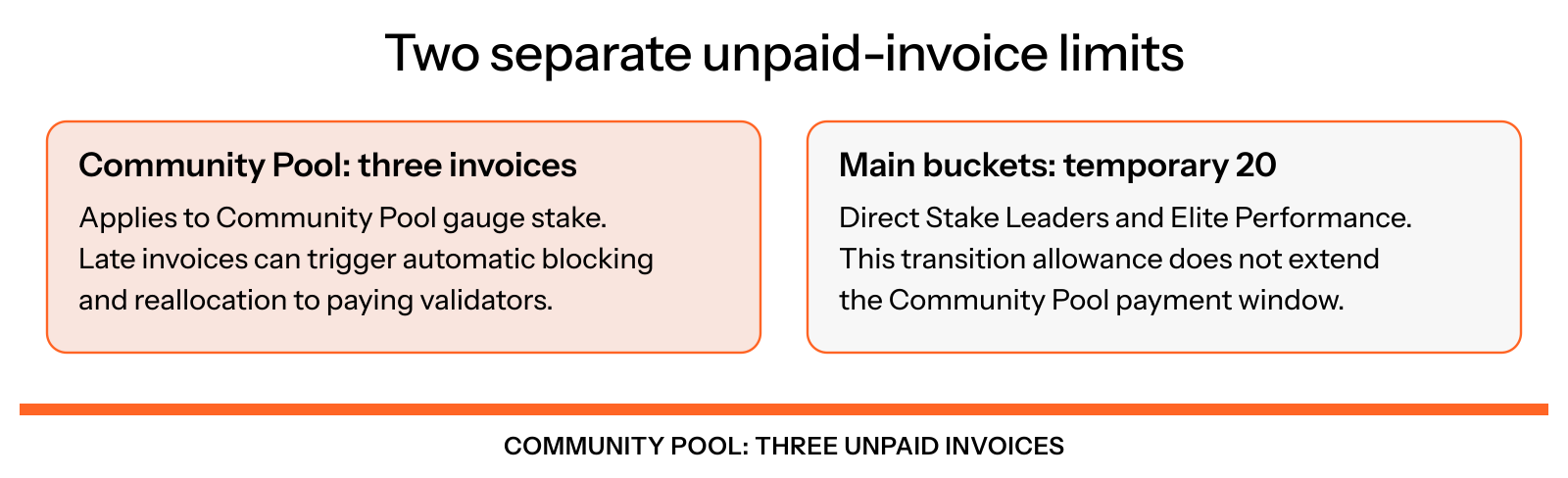
Figure 8.5: Separate invoice limits
Staying approved
To keep receiving stake from the buckets, keep meeting these requirements. Falling short can lead to temporary removal and re-evaluation by the Validator Board.
- Good actor: no sandwiching or harmful MEV.
- Base commission of at most 5%.
- MEV commission of at most 10%.
- Uptime of at least 97.5%.
- A vote on every SIMD proposal.
Raising your commission above 5% or your MEV commission above 10% (the Solana Foundation Delegation Program criteria), even for one epoch, can block your stake for 10 epochs. For the full rules, see Delegation requirements.
What to expect
- Allocations update every three hours.
- A new allocation ramps up over several epochs, up to about five, because of Solana's warm-up rules and rebalancing. Announced targets are reached gradually.
- Gauge votes determine the next weekly allocation. Community Pool opt-in, gauge binding and invoice eligibility determine participation. For manual votes, see How to vote on gauges.
- Your stake target, direct stake and invoices are on the validator dashboard and in the Validator Monitor app's The Vault tab.
First steps
- Check your direct stake total on the validator dashboard.
- Direct stake to your own validator, and invite your community to direct vSOL to you.
- Set 0% base and 0% MEV commission if you aim for the Elite Performance bucket.
- Consider gauges if they fit your strategy.
- Pay your invoices every epoch, or let the SaaS payment bot pay them.
Questions? Open a support ticket on The Vault Discord. Shares, thresholds and fees can change through governance decisions or strategy updates, and nothing here is investment advice.